
Game Design Document Template
A complete game design document (GDD) template kit for indie developers, students and small studios. Start with a one-page concept, grow it into a full GDD, and keep mechanics, levels, characters, features and playtest feedback organised in matching documents.
- Instant download
- Editable Word & Excel
- Print-ready PDF
- 7-day refund
9 files · PDF, DOCX, XLSX
Game Design Document Template Kit
Nine linked templates — full and one-page GDD, system, level, character and narrative specs, backlog, asset list and playtest form — in Word, Excel and PDF.
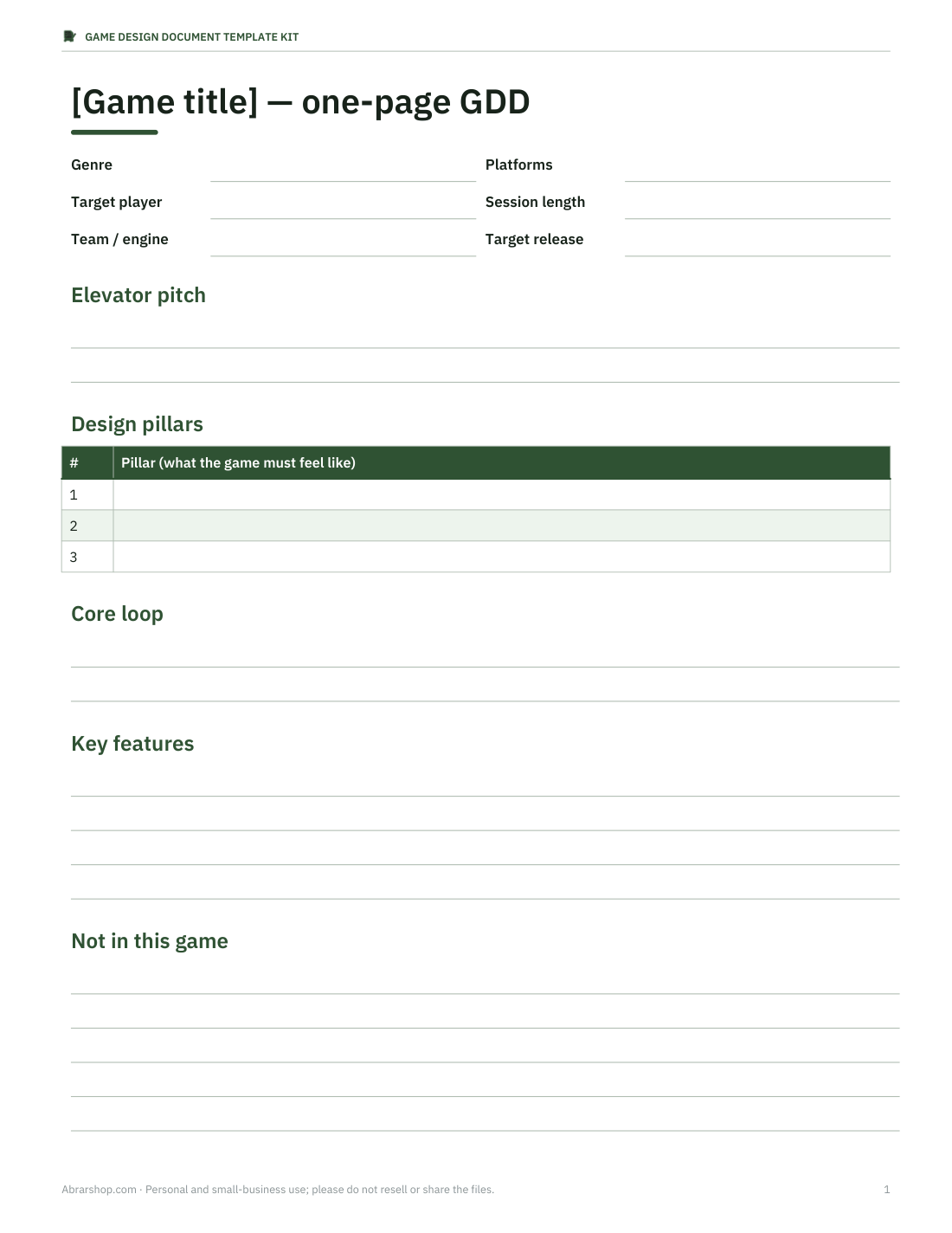
- One-page GDD (PDF, DOCX)
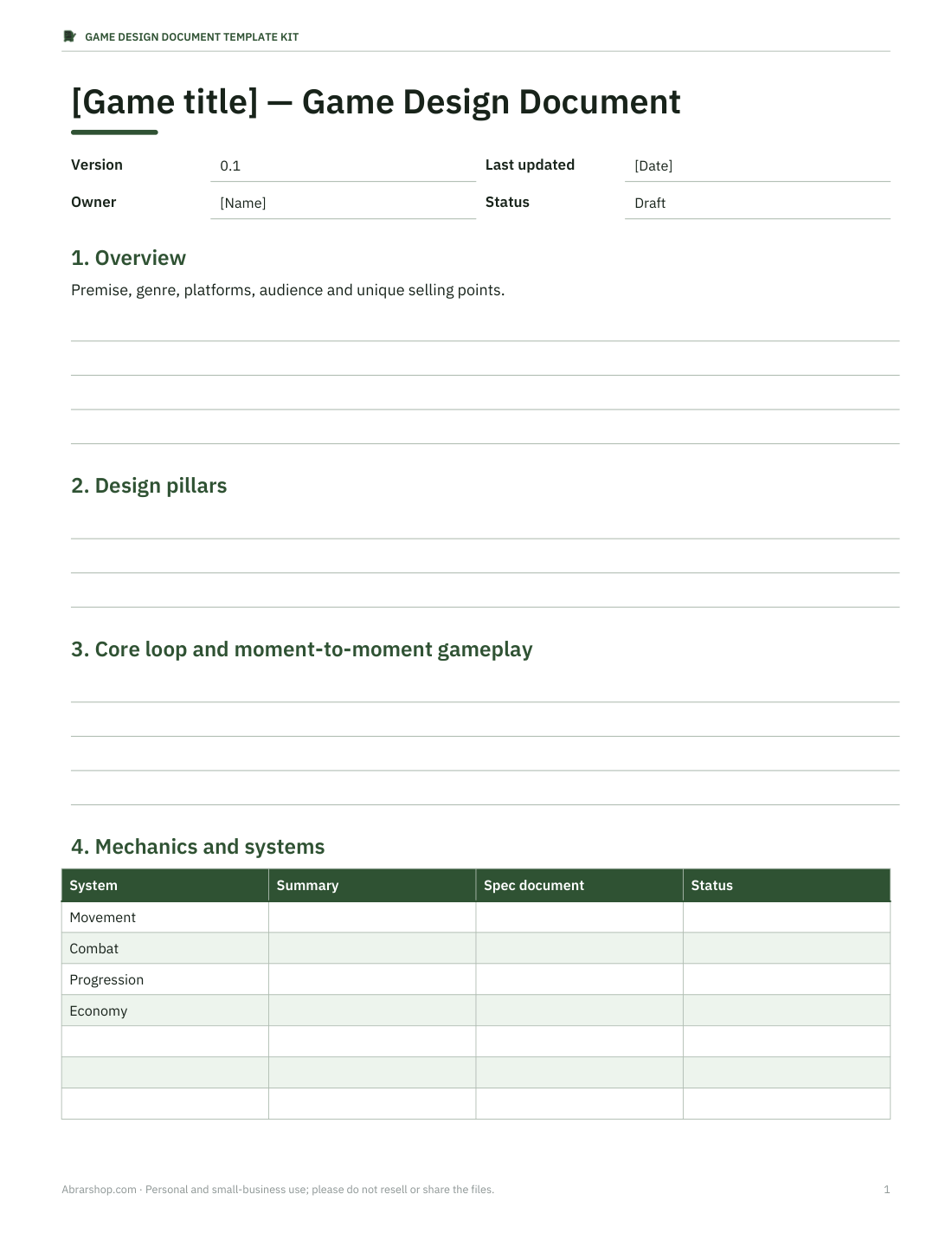
- Full game design document (PDF, DOCX)
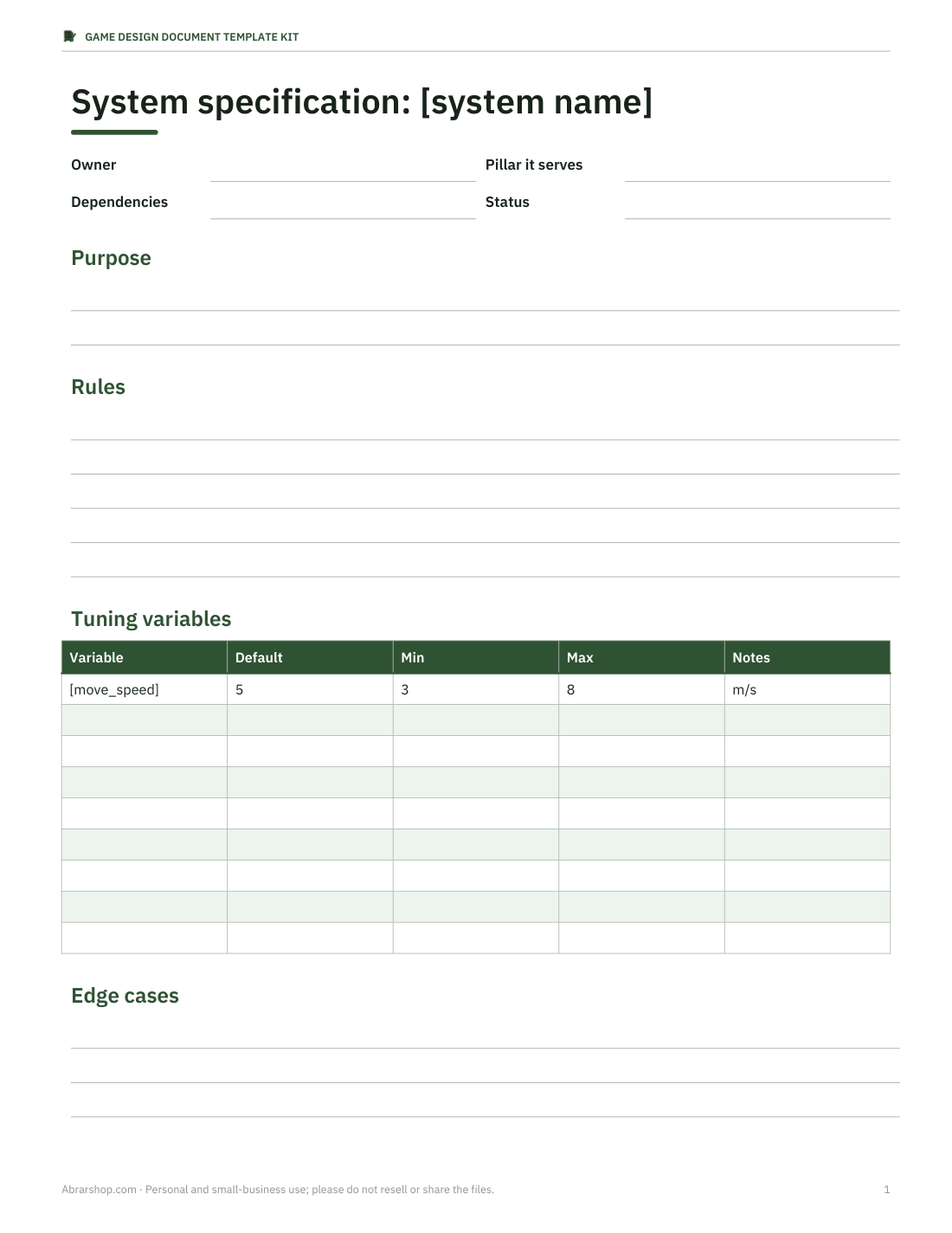
- Mechanics / system spec (PDF, DOCX)
- + 6 more
$12.00 USD, one-time 9 files · about $1.33 each
- Instant download
- 7-day refund
- Secure checkout by Stripe
7-day money-back guarantee. Full refund within 7 days of purchase, even after you download.
Free sample: One Page GDD (PDF, 54 KB)
Game Design Document Template Kit
Nine linked templates — full and one-page GDD, system, level, character and narrative specs, backlog, asset list and playtest form — in Word, Excel and PDF.
- One-page GDD (PDF, DOCX)
- Full game design document (PDF, DOCX)
- Mechanics / system spec (PDF, DOCX)
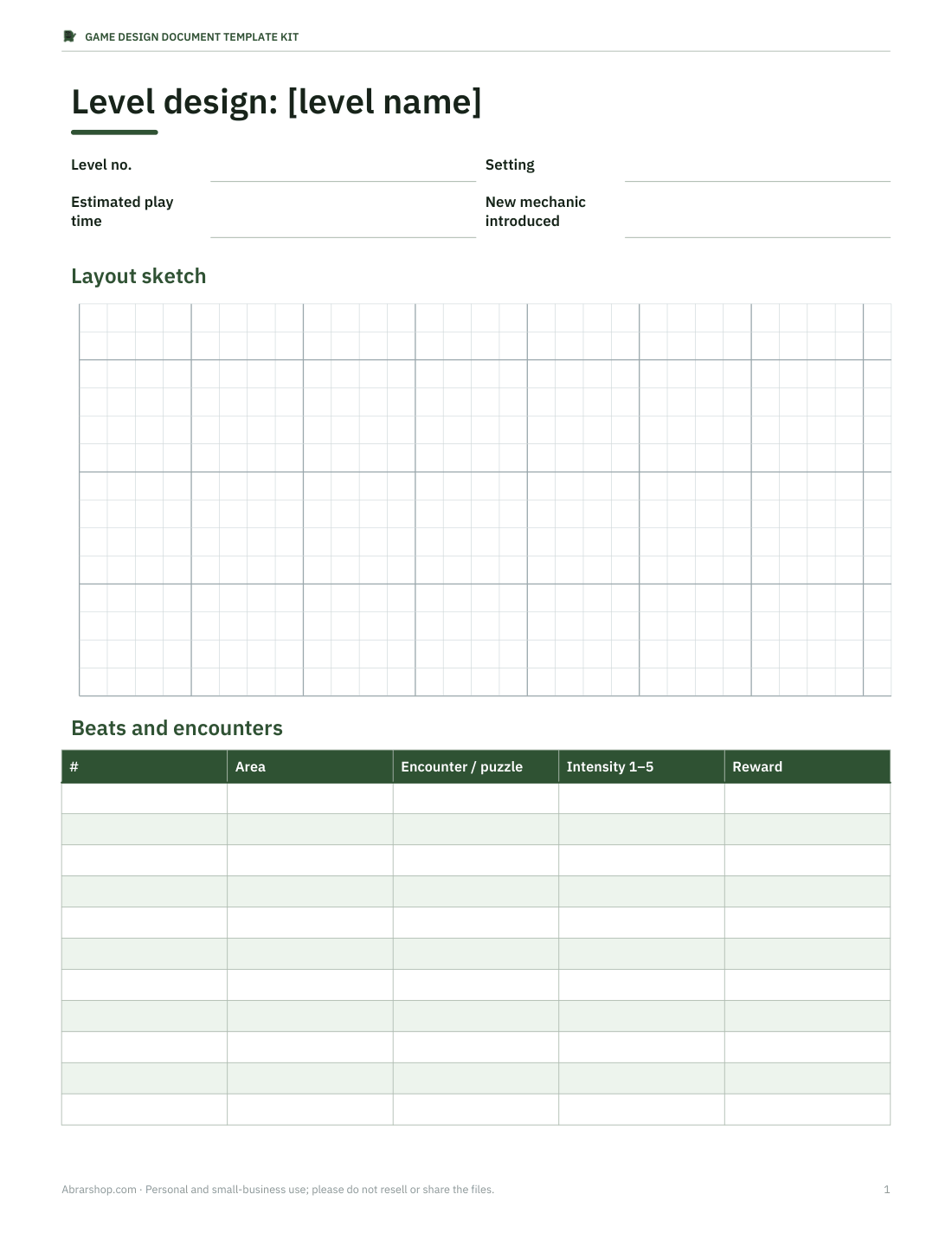
- Level design document (PDF, DOCX)
- Character bible (PDF, DOCX)
- Narrative outline (PDF, DOCX)
- Feature backlog & milestones (Excel)
- Asset list (Excel)
- Playtest feedback form (PDF, DOCX)
Formats: PDF, DOCX, XLSX. Instant download after payment (link valid 72 hours, up to 5 downloads). AI-assisted: the templates were drafted with AI help and reviewed and laid out before publishing.
$12.00 USD, one-time 9 files · about $1.33 each
- Instant download
- 7-day refund
- Secure checkout by Stripe
7-day money-back guarantee. Full refund within 7 days of purchase, even after you download.
Free sample: One Page GDD (PDF, 54 KB)
Full refund within 7 days — see the refund policy and license.
Free printables
Single sheets you can print right now, no sign-up. The full pack adds every sheet in one download plus the editable files.
 Printable One-Page GDD Template1 page · free PDF
 Printable Game Design Document Template3 pages · free PDF
 Game System Specification Template2 pages · free PDF
 Printable Level Design Document1 page · free PDF
 Printable Character Bible Sheet1 page · free PDF
 Printable Narrative Outline Sheet1 page · free PDF
 Feature Backlog and Milestones Sheet3 pages · free PDF
 Printable Asset List Spreadsheet2 pages · free PDF
What a game design document is
A game design document describes what a game is, how it plays and what needs to be built. On a solo project it keeps your ideas consistent as the game grows; on a team it gives artists, programmers, writers and testers one reference for decisions. Modern GDDs are living documents rather than a single enormous specification written up front, so this kit is modular: a one-page overview everyone reads, and focused documents for mechanics, levels and characters that change as you prototype.
What is included
- Full game design document (Word) — overview, pillars, target audience and platforms, core loop, mechanics, controls, progression, economy, world and story, art and audio direction, UI/UX, technical notes, monetisation, scope and milestones.
- One-page GDD (Word, PDF) — the whole game on a single page for pitching and aligning the team.
- Mechanics / system specification — one template per system with rules, variables, edge cases and tuning values.
- Level design document — goals, layout sketch area, encounters, pacing chart, collectibles and difficulty notes.
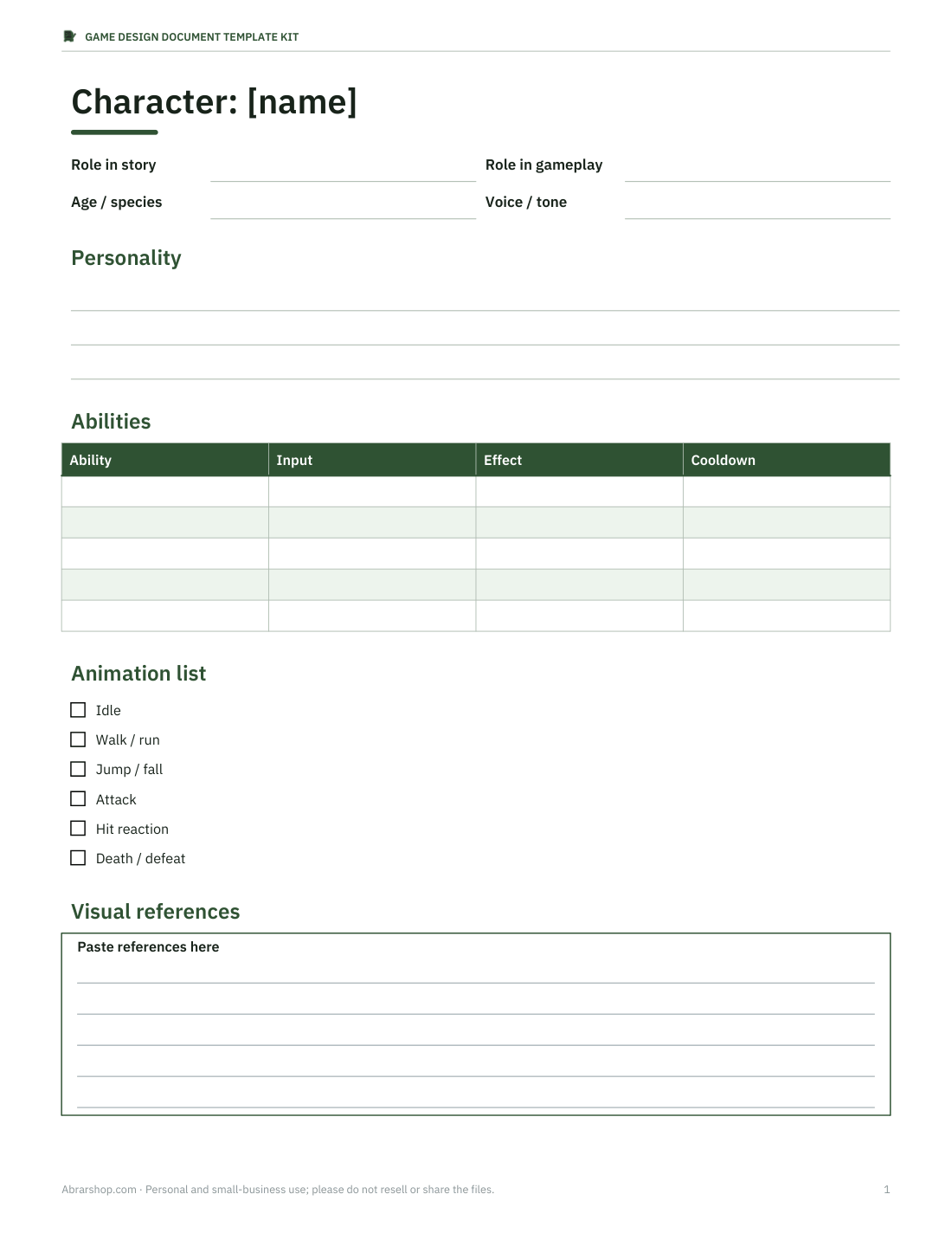
- Character bible — role, abilities, personality, visual references, animation list and dialogue style.
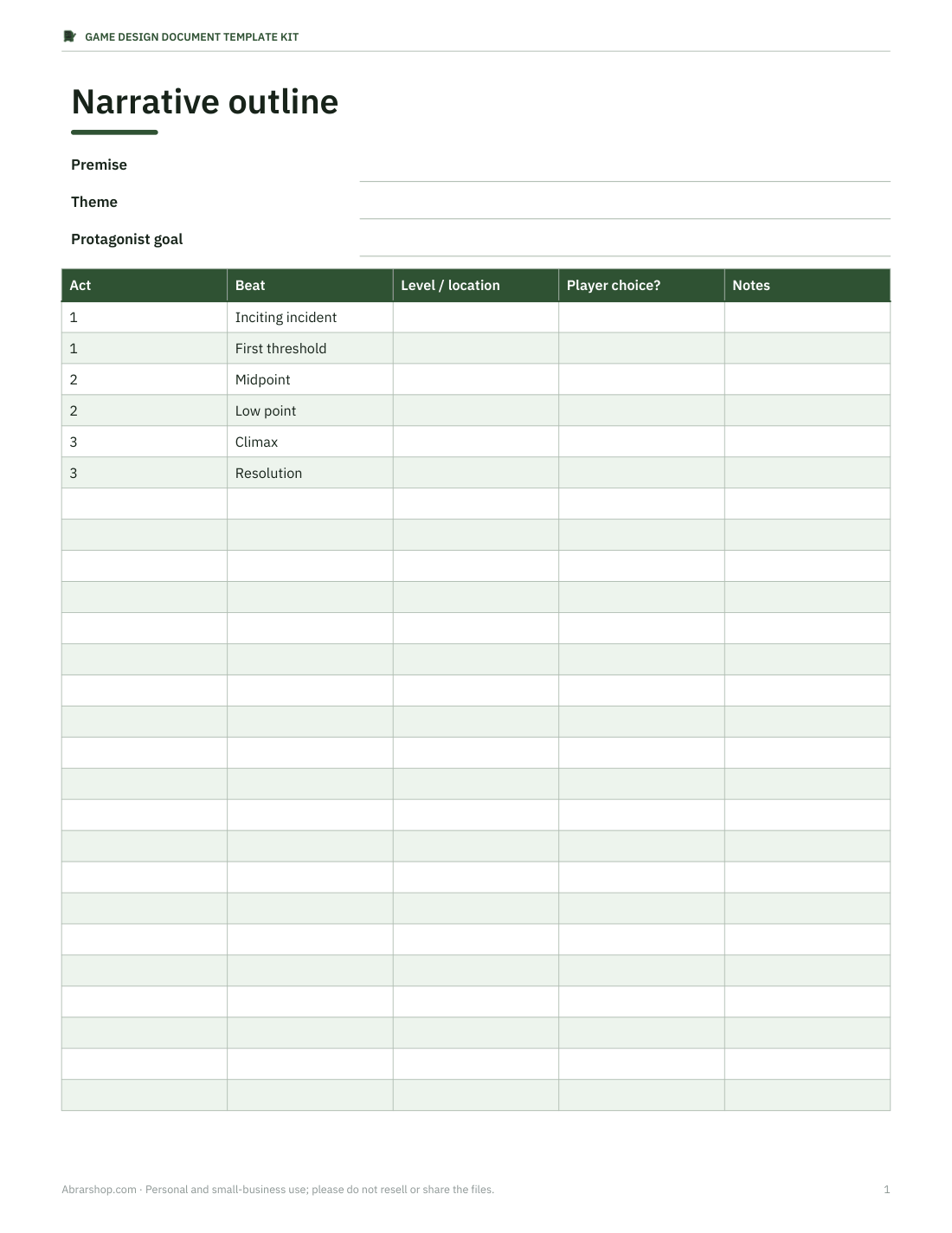
- Narrative outline — premise, acts, key beats and branching notes.
- Feature backlog and milestone plan (Excel) — priority, estimate, owner, status and milestone, with totals by milestone.
- Playtest feedback form — observation sheet and questionnaire for structured playtests.
- Asset list (Excel) — art, audio and UI assets with status tracking.
How to use the kit
- Fill in the one-page GDD first: genre, core loop, design pillars and what makes the game different. If it does not fit on one page, the concept is not clear yet.
- Prototype the core loop before writing detailed specs. Use the mechanics template for each system as it stabilises.
- Move every planned feature into the backlog with a priority (must, should, could) and a rough estimate; cut from the bottom when the schedule is tight.
- Write level documents one level ahead of production, so layout and encounters are agreed before building.
- Run playtests with the feedback form and record findings in the backlog, not in scattered notes.
- Review the full GDD at each milestone and delete what is no longer true — an outdated document is worse than a short one.
Design pillars and the core loop
Two sections do most of the work in any GDD. Design pillars are three to five short statements of what the game must feel like — for example “every run is different”, “readable at a glance”, “fail fast, retry instantly”. When a feature is debated, the pillars settle it. The core loop is the action the player repeats most, written as a cycle such as explore → fight → loot → upgrade → explore. The templates put both on the first page so nobody loses sight of them.
Who it is for
The kit suits solo developers who want to stay focused, small indie teams sharing a design across disciplines, students writing a GDD for a course or game jam, and designers preparing material for a publisher pitch alongside a playable build. The examples are genre-neutral, with prompts that work for action, puzzle, platformer, RPG, strategy and narrative games. It does not include a pitch deck, art assets or code.
Formats
Documents are DOCX files for Word, Google Docs, LibreOffice or Pages, each with a PDF copy. The backlog, milestone plan and asset list are XLSX workbooks with status columns and automatic totals. Headings use Word's built-in styles, so you can generate a table of contents and navigate with the document map. Everything is editable; delete sections your project does not need.
Tips for a GDD people actually read
- Lead with pictures: a sketch, diagram or reference image explains a mechanic faster than paragraphs.
- Write rules as numbers where possible: “dash covers 4 m in 0.2 s, 1.5 s cooldown”.
- Mark open questions clearly so they are not mistaken for decisions.
- Keep a change log at the top of each document with the date and author.
- Link each feature in the backlog to its section in the GDD.
Keeping scope under control
Most unfinished indie games fail on scope rather than skill. The milestone sheet in the backlog workbook totals estimated days per milestone and compares them with the days you actually have, so over-commitment shows up as a number rather than a feeling. A useful habit is to label every feature with the design pillar it serves; features that serve none are the first candidates to cut. The one-page GDD also includes a short “not in this game” list — writing down what you have deliberately excluded, such as online multiplayer or a crafting system, stops the same ideas returning at every meeting.
Frequently asked questions
Is there a one-page GDD?
Yes, as Word and PDF, designed to be filled in first and shared with the whole team.
Can I use it for a game jam?
Yes. Use the one-page GDD and the backlog; the full document is optional for short jams.
Does it include examples?
Each section has short prompts and example entries that you replace with your own.
Will it work in Google Docs?
Yes, DOCX and XLSX files open in Google Docs and Sheets; some formatting may shift slightly.
Was AI used to make it?
Yes. The templates were drafted with AI assistance and then reviewed, edited and formatted before publishing.